
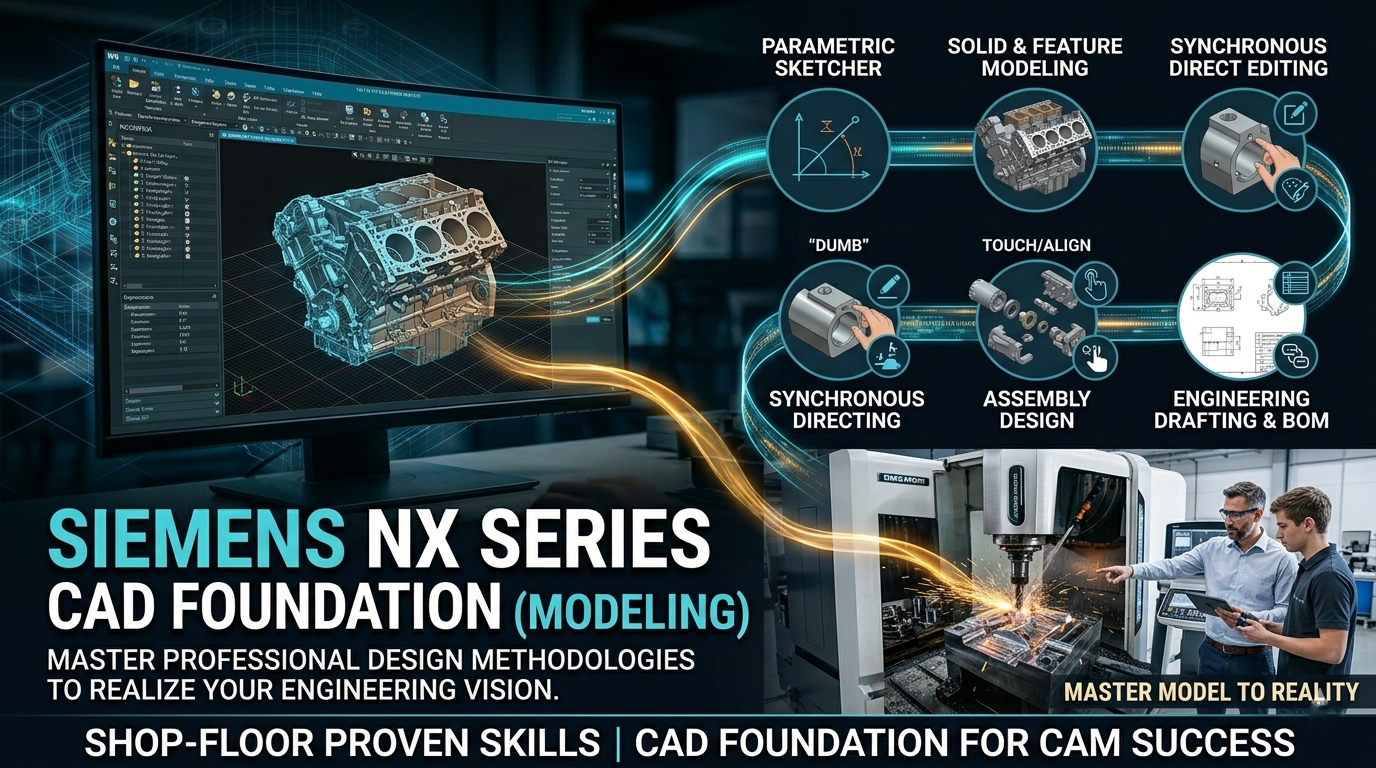
About Course
Course Overview
The Siemens NX CAD Foundation (Modeling) course is an industry-standard blueprint designed to take individuals from a basic or intermediate understanding of CAD to a professional level of competency in high-end product design.
Siemens NX (formerly Unigraphics) is the leading software platform utilized across the global automotive, aerospace, and heavy manufacturing sectors. This foundation course focuses heavily on industry-best methodologies, teaching you not just how to use the buttons, but how to think like a design engineer to create stable, highly editable, and manufacturing-ready 3D models.
-
Target Audience: Mechanical Engineers, Product Designers, Automotive/Aerospace Freshers, and CNC/CAM Programmers moving into structural manufacturing design.
-
Pre-requisites: A foundational understanding of engineering graphics/drawings is helpful, but no prior experience with NX is required.
Module-by-Module Deep Dive
Module 1: Gateway & Core User Interface (UI)
Before drawing a single line, you must master the high-end workspace. This module ensures fluid navigation through NX’s deeply customizable ecosystem.
-
What you master: Customizing toolbars and command dialogs, controlling the Role settings (Advanced vs. Essential environments), and mastering the WCS (Work Coordinate System) and Absolute Coordinate Systems.
-
Key Outcome: Setting up a clean, high-productivity interface that aligns with professional workflows.
Module 2: The New Parametric Sketcher
A great 3D model depends entirely on a robust 2D sketch. This module focuses on NX’s renewed sketch paradigm.
-
What you master: Dynamic constraint inference, defining geometric relationships (parallel, tangent, symmetric), utilizing expressions/parameters, and mirroring/offsetting profiles.
-
Key Outcome: You will learn how to create “fully defined” sketches that scale dynamically without breaking when dimensional values are changed.
Module 3: 3D Solid & Feature Modeling
Transforming 2D sketches into complex 3D geometry using primary mechanical design primitives.
-
What you master: Extrude, Revolve, and Swept operations with integrated draft and offset settings. Advanced Boolean operations (Unite, Subtract, Intersect).
-
Detail Operations: Utilizing the dedicated Hole feature (Counterbore, Countersunk, Tapped), applying Edge Blends (variable and constant radius), Chamfers, Shelling, and Draft Analysis.
-
Key Outcome: Building complex, single-body mechanical parts (like engine brackets, housings, or shafts) with immaculate feature history tree structure.
Module 4: Synchronous Modeling (Direct Editing)
One of the most powerful and unique modules in the Siemens NX suite. This covers the ability to edit geometry on the fly without relying on a feature design tree.
-
What you master: Modifying “dumb” or featureless geometry imported from neutral files (STEP, IGES, Parasolid). Commands like Move Face, Delete Face, Resize Blend, and Replace Face.
-
Key Outcome: Modifying native or non-native third-party CAD files in seconds, a skill highly valued in mold design and CAM toolpath preparation.
Module 5: Core Assembly Design (Bottom-Up & Top-Down)
Products are rarely just a single part. This module teaches you how individual parts come together seamlessly to form complex mechanisms.
-
What you master: Managing Assembly Navigators, adding parts, establishing assembly constraints (Touch/Align, Concentric, Distance), and managing Reference Sets to improve system graphics performance.
-
Key Outcome: Building functional multi-component assemblies, generating exploded views, and analyzing interference/clearance issues between mating parts.
Module 6: Engineering Drafting & Master Model Concept
Translating your 3D masterpieces into standard, production-ready 2D engineering drawings for toolrooms and machinist floors.
-
What you master: Setting up ISO/ANSI drawing sheets, creating Base Views, Projected Views, Section Views, and Detailed Views. Generating fully automated BOMs (Bill of Materials) and Parts Lists. Applying associative dimensions, GD&T (Geometric Dimensioning and Tolerancing) symbols, and surface finishes.
-
Key Outcome: Creating foolproof blueprints that update instantly whenever a modification is made to the primary 3D part file.
Key Industry Skills You Will Gain
-
Design Intent Management: Ensuring that when a dimension changes, the part modifies logically rather than crashing or throwing modeling errors.
-
Interpart Associativity (WAVE Linking Intro): Linking geometries across separate parts so changes in one automatically update adjacent components.
-
Mass Properties Analysis: Checking volume, area, weight, and center of gravity of components to ensure structural target criteria are met before manufacturing.
Typical Career Path Post-Completion
Completing this fundamental track sets you up perfectly for titles such as Junior CAD Design Engineer, Product Design Associate, or Mold/Tooling Designer. Furthermore, it forms the mandatory rock-solid baseline required if you want to branch out into high-end specialized domains like NX CAM (Manufacturing/CNC programming) or NX Advanced Simulation (FEA/CAE).
Student Ratings & Reviews

No Review Yet